PyTorch Tutorial
0. Foreword
The copyright belongs to the original author, and I am only using it for learning and sharing purposes.
Here is the author’s original address and related links.
Video: https://youtube.com/playlist?list=PLJV_el3uVTsOePyfmkfivYZ7Rqr2nMk3W
Course Home: https://speech.ee.ntu.edu.tw/~hylee/ml/2023-spring.php
Github: https://github.com/Fafa-DL/Lhy_Machine_Learning
PyTorch Official Document: https://pytorch.org/docs/stable/index.html
1. Background: Prerequisites & What is PyTorch ?
2. Train

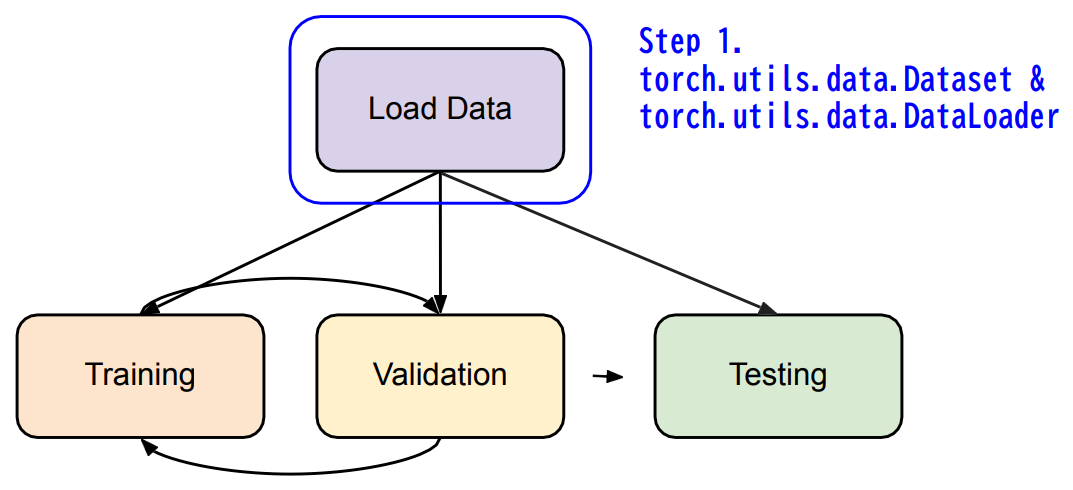
2. Dataset & Dataloader
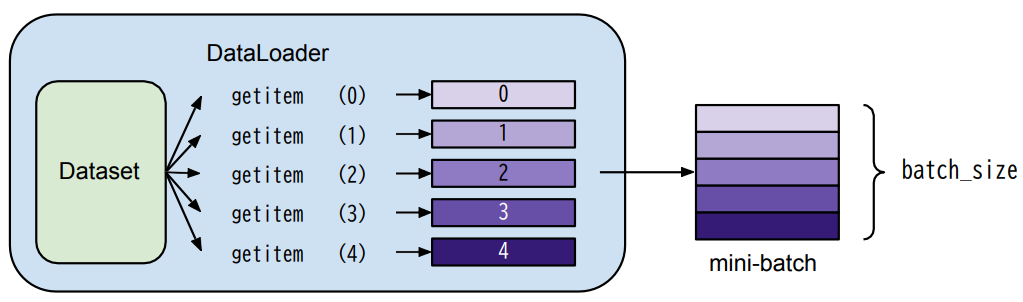
Dataset: stores data samples and expected values
Dataloader: groups data in batches, enables multiprocessing.
1 | |
Customize MyDataset:
1 | |
1 | |
3. Tensors
3.1 Tensors
- High-dimensional matrices(arrays)

3.2 Shape of Tensors
- Check with
.shape
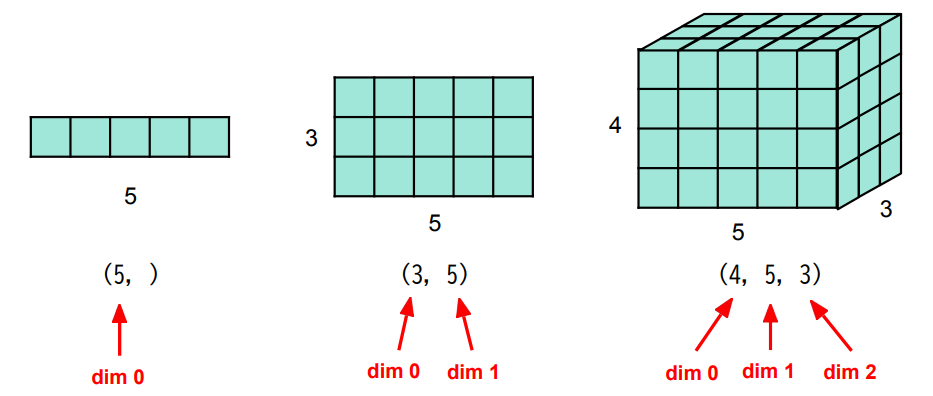
Note: dim in PyTorch == axis in NumPy
3.3 Creating Tensors
- Directly from data (
listornumpy.ndarray)
1 | |
- Tensor of constant zeros & ones
1 | |
3.4 Common Operations
Common arithmetic functions are supported, such as:
Addition
1
z = x + ySubtraction
1
z = x - yPower
1
y = x.pow(2)Summation
1
y = x.sum()Mean
1
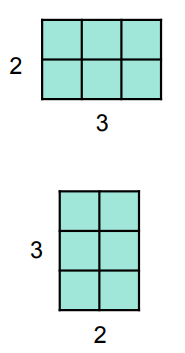
y = x.mean()Transpose: transpose two specified dimensions
1
2
3
4
5
6>>> x = torch.zeros([2, 3])
>>> x.shape
torch.Size([2, 3])
>>> x = x.transpose(0, 1)
>>> x.shape
torch.Size([3, 2])
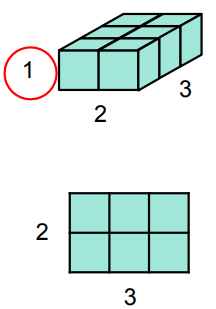
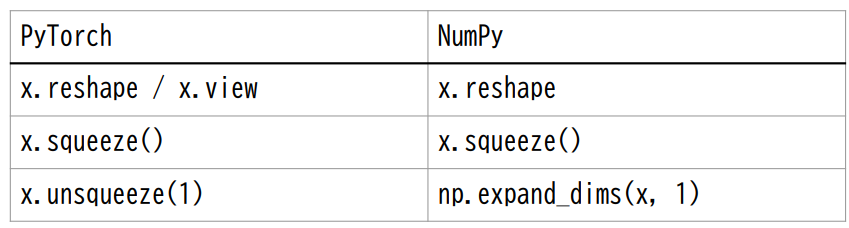
- Squeeze: remove the specified dimension with length = 1
1
2
3
4
5
6>>> x = torch.zeros([1, 2, 3])
>>> x.shape
torch.Size([1, 2, 3])
>>> x = x.squeeze(0)
>>> x.shape
torch.Size([2, 3])
Tips: The 0 of x.squeeze(0) represents dimension 0.
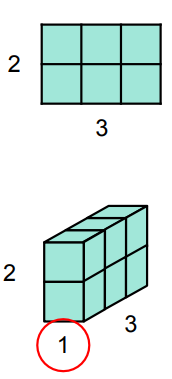
- Unsqueeze: expand a new dimension
1
2
3
4
5
6>>> x = torch.zeros([2, 3])
>>> x.shape
torch.Size([2, 3])
>>> x.unsqueeze(1)
>>> x.shape
torch.Size([2, 1, 3])
Tips: The 1 of x.unsqueeze(1) represents dimension 1.
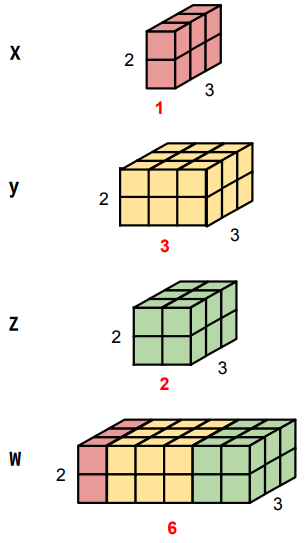
- Cat: concatenate multiple tensors
1
2
3
4
5
6>>> x = torch.zeros([2, 1, 3])
>>> y = torch.zeros([2, 3, 3])
>>> z = torch.zeros([2, 2, 3])
>>> w = torch.cat([x, y, z], dim=1)
>>> w.shape
torch.Size([2, 6, 3])
Common initialization values:
1 | |
Note: The 0.01 for reducing variance
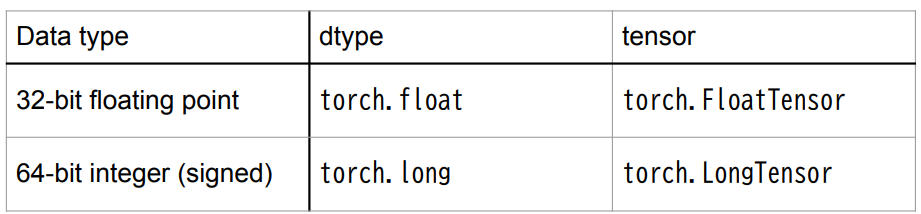
3.5 Data Type
- Using different data types for model and data will cause errors.
3.6 PyTorch v.s. NumPy
- Similar attributes
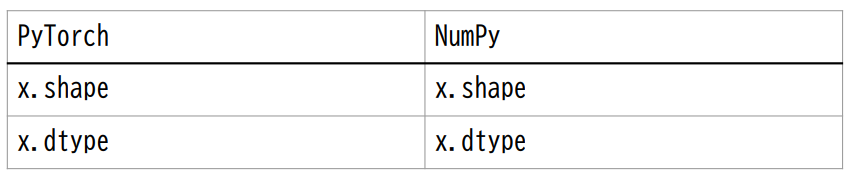
- Many functions have the same names as well
3.7 Device
- Tensor & modules will be computed with
CPUby default
Use .to() to move tensors to appropriate device.
CPU
1
x = x.to('cpu')GPU
1
x = x.to('cuda')
3.8 Device(GPU)
Check if your computer has NVIDIA GPU
1
torch.cuda.is_available()Multiple GPUs: specified ‘cuda:0’, ‘cuda:1’, ‘cuda:2’, …
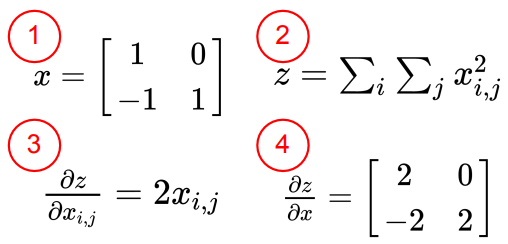
3.9 Gradient Calculation
1 | |
4. torch.nn: Models, Loss Functions
4.1 Network Layers
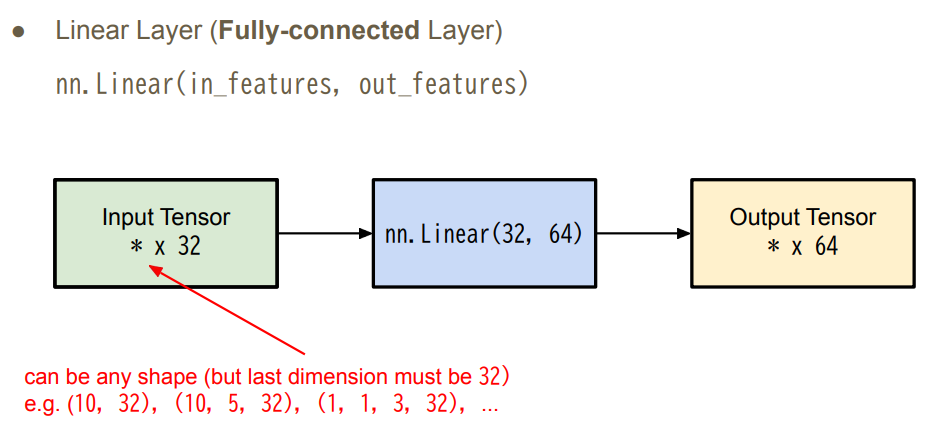
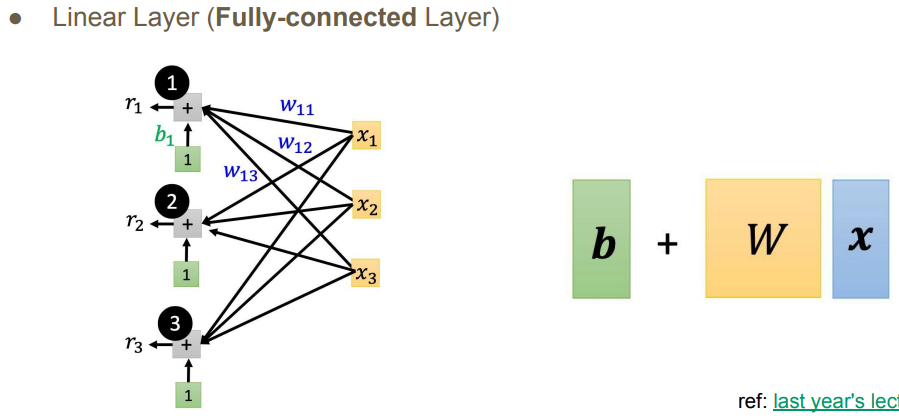
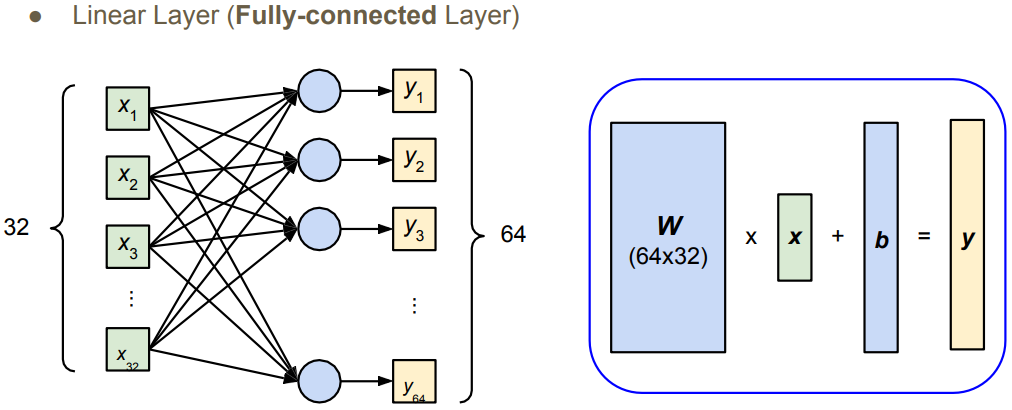
- Linear Layer(
Fully-connectedLayer)
nn.Linear(in_features, out_features)
4.2 Network Parameters
1 | |
4.3 Non-Linear Activation Functions
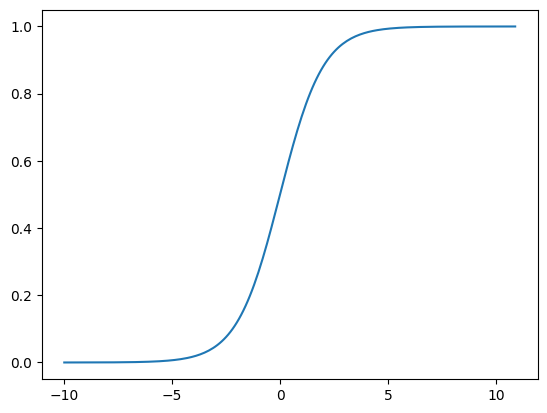
- Sigmoid Activation
nn.Sigmoid()
1 | |
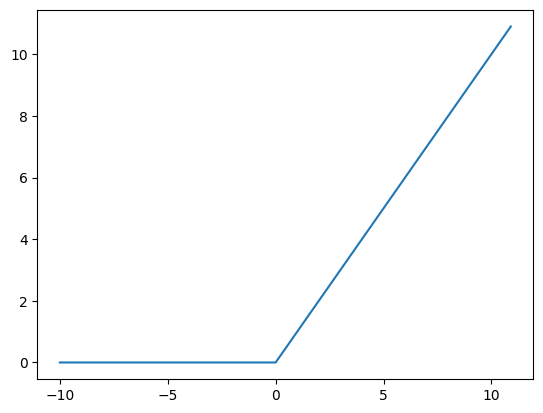
- ReLu Activation
nn.ReLu()
1 | |
4.4 Build your own neural network
1 | |
Both have the same effect.
1 | |
4.5 Loss Functions
Mean Squared Error (for regression tasks)
1
criterion = nn.MSELoss()Cross Entropy (for classification tasks)
1
criterion = nn.CrossEntropyLoss()loss = criterion(model_output, expected_value)
5. torch.optim: Optimization
Gradient-based optimiztion algorithms that adjust network parameters to reduce error.
E.g. Stochastic Gradient Descent (SGD)
1 | |
- For every batch of data:
- Call
optimizer.zero_grad()to reset gradients of model parameters. - Call
loss.backward()to backpropagate gradients of prediction loss. - Call
optimizer.step()to adjust model parameters.
6. Entire Procedure
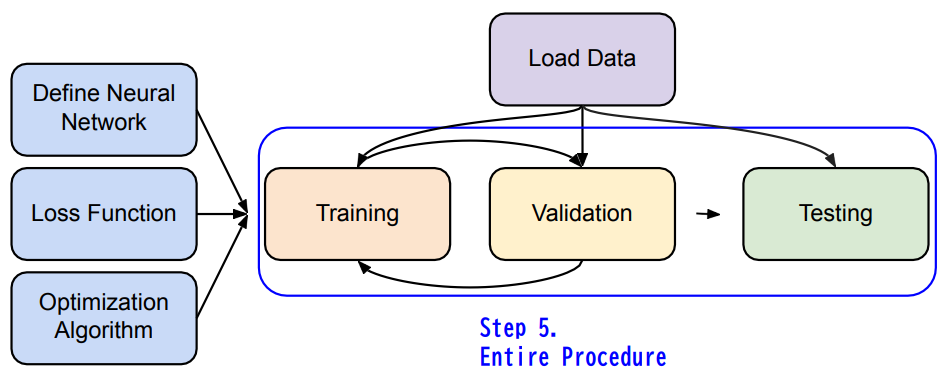
6.1 Neural Network Training Setup
1 | |
6.2 Neural Network Training Loop
1 | |
6.3 Neural Network Validation Loop
1 | |
6.4 Neural Network Testing Loop
1 | |
7. Save/load models
Save
1
torch.save(model.state_dict(), path)Load
1
2ckpt = torch.load(path)
model.load_state_dict(ckpt)
8. More About PyTorch
- Useful github repositories using PyTorch
- Huggingface Transformers (transformer models: BERT, GPT, …)
- Fairseq (sequence modeling for NLP & speech)
- ESPnet (speech recognition, translation, synthesis, …)